FMD · Markdown writer for macOS
Quiet Markdown writing, in your own folders.
FMD is a local-first Markdown writer for macOS: open a folder and start writing, and every note stays a plain .md file on your Mac.
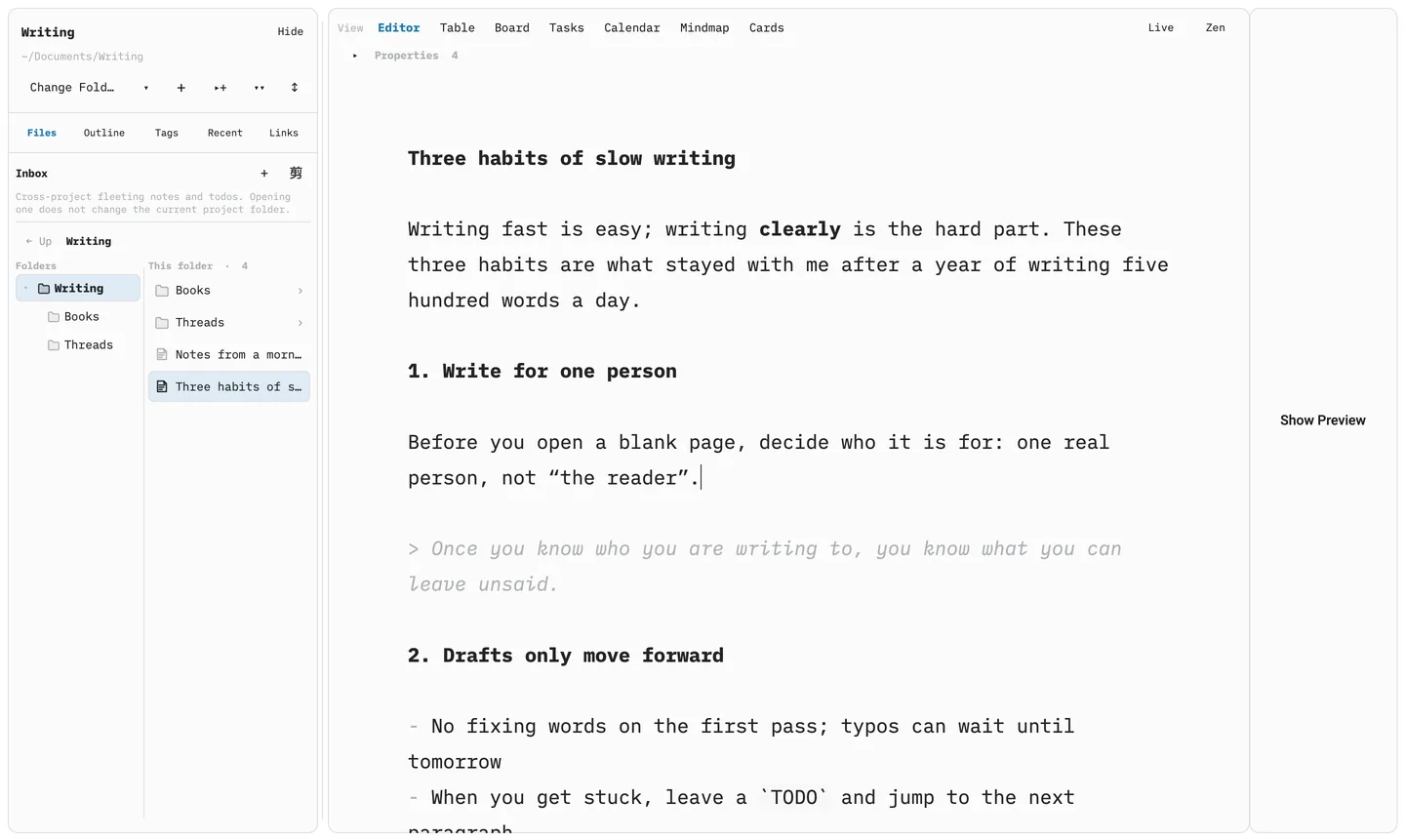
01 · Live and Source
See formatted text, or the raw Markdown
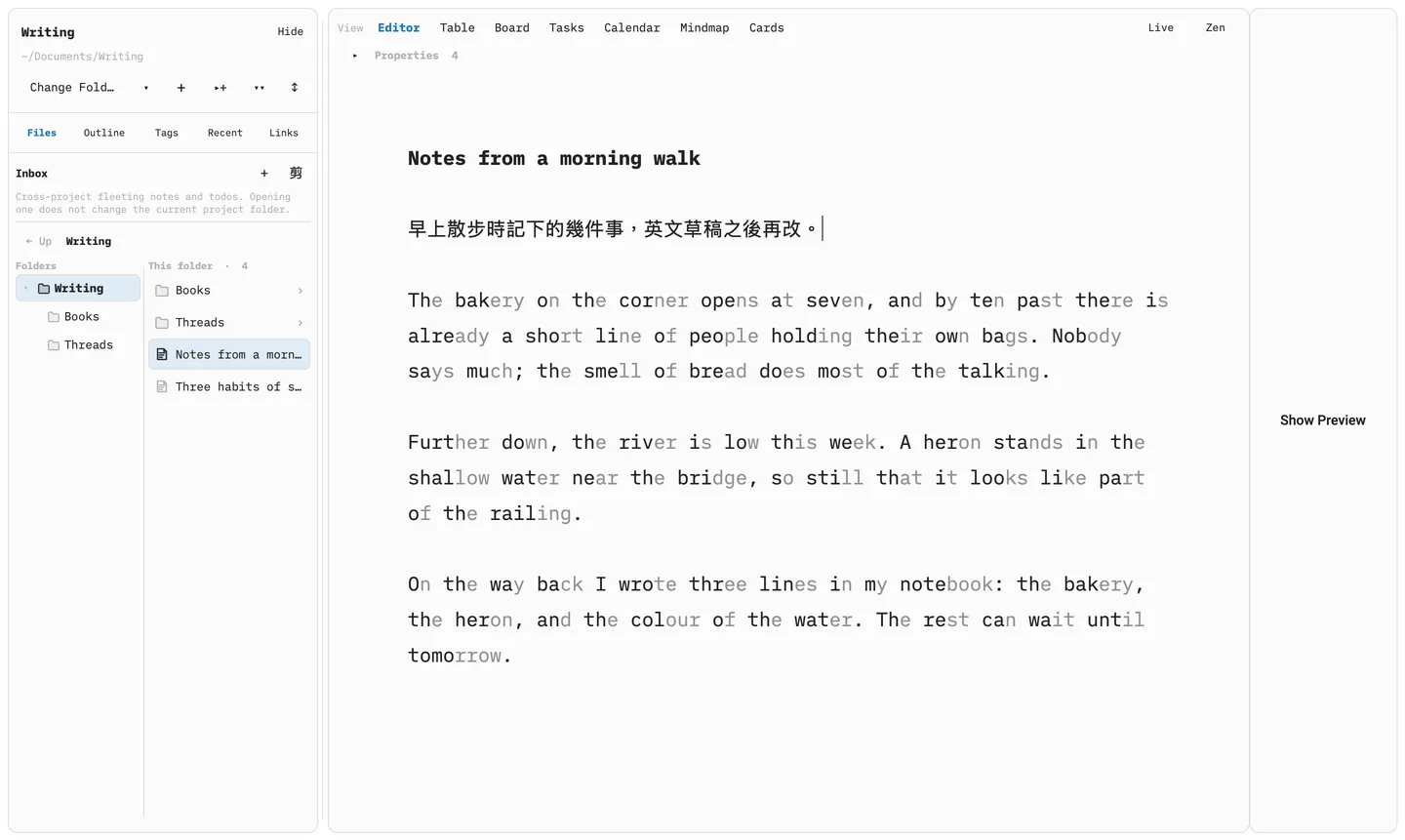
Live mode folds the YAML front matter into a properties bar above the note and hides markers such as ** and ==. Switch to Source and you see exactly what is in the file. Both modes edit the same file.
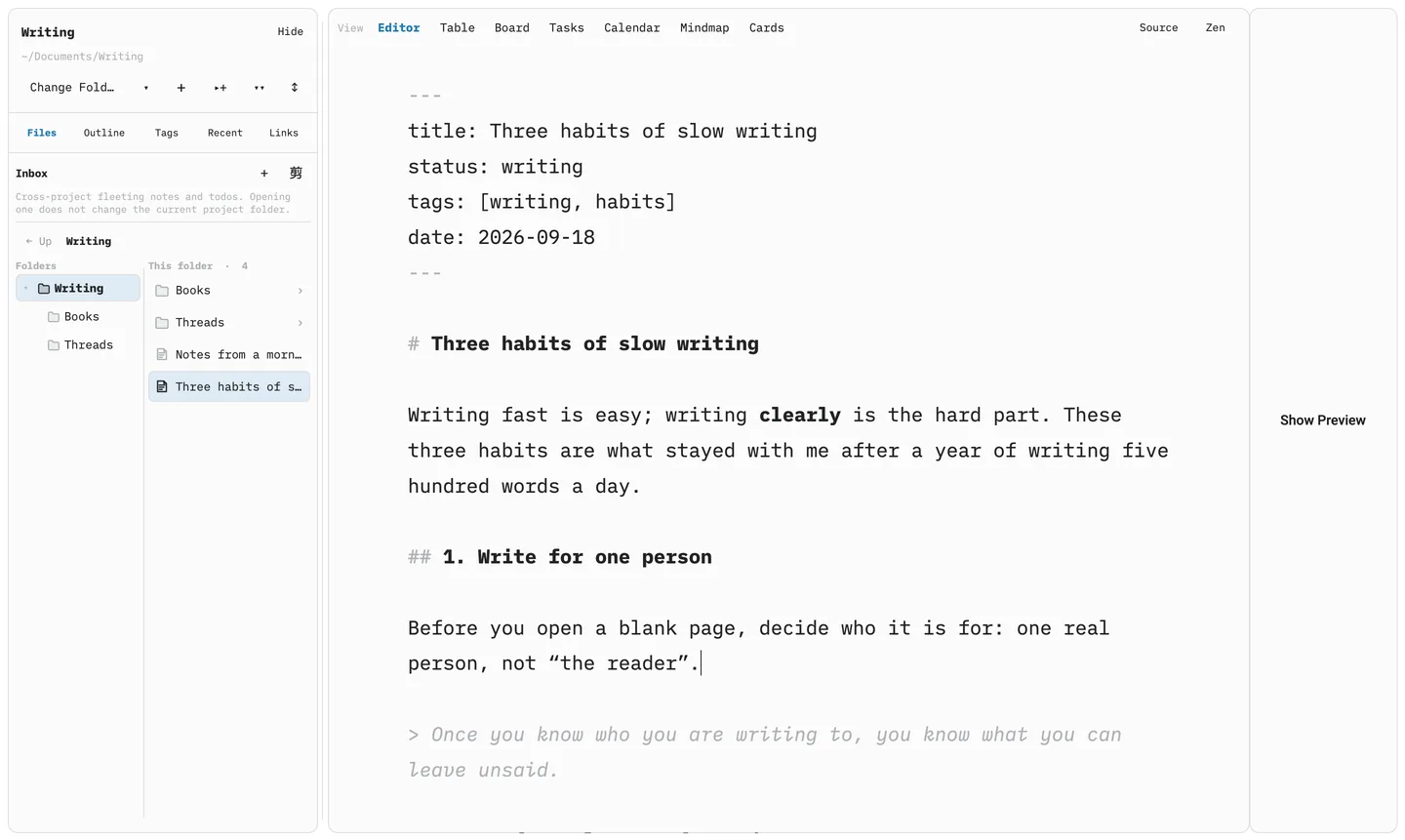
# markers visible. The screenshot at the top shows it in Live mode.02 · Board and table
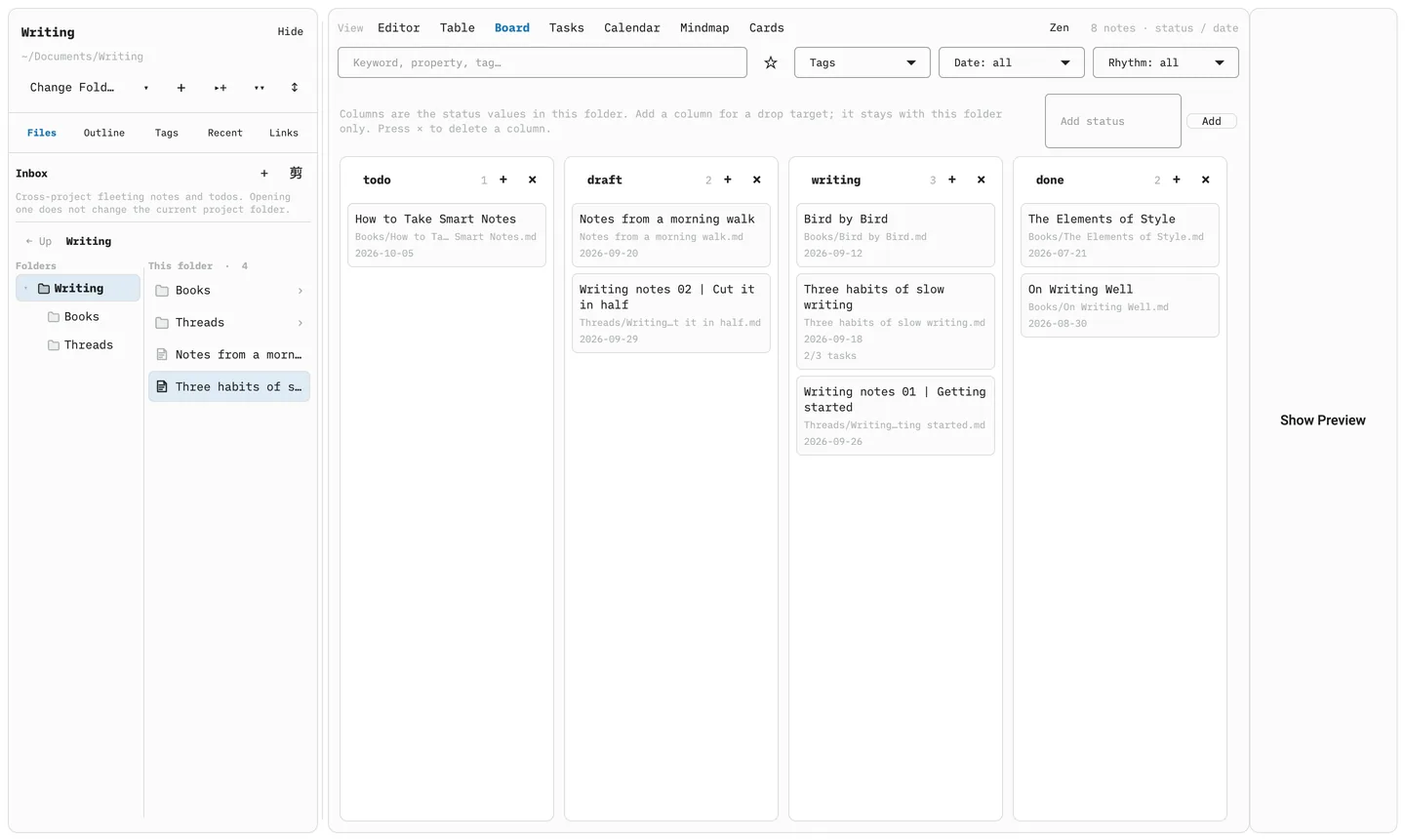
Arrange drafts by their YAML status
Once a folder is open, the same notes can be shown as a board or a table. Board columns are the values of each note’s status; dragging a card to another column changes only that note’s YAML. Editing a status or date in the table also writes back to each file’s front matter — there is no separate database.
There are also Tasks, Calendar, Mindmap and Cards views.
03 · Threads drafts
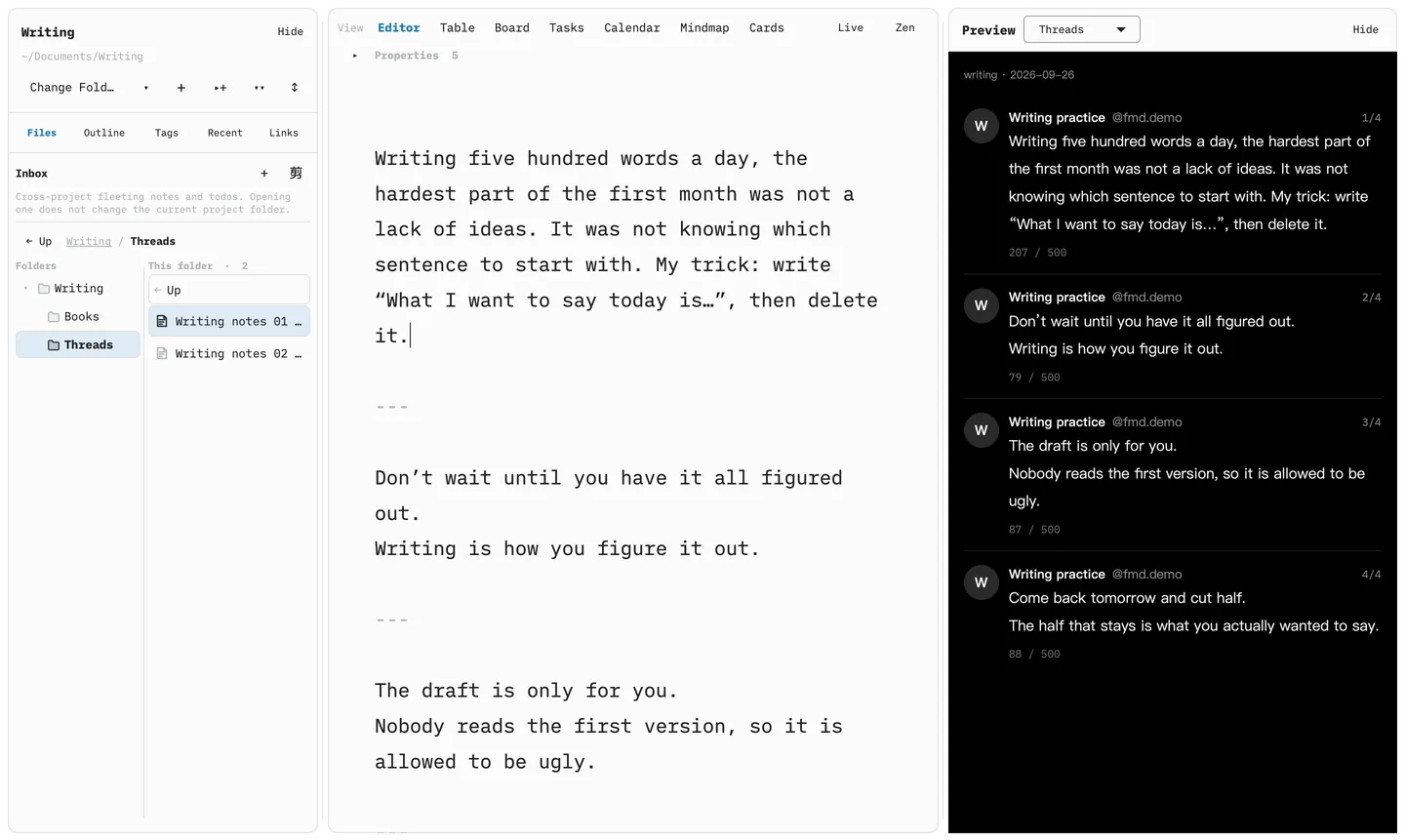
Lay out a Threads post on your Mac first
When a note’s YAML says threads: true, the preview pane switches to a local Threads-style thread: --- separates the main post from its replies, and each part shows its character count against the 500 limit.
This is a local preview; FMD itself never connects to Threads.
04 · Word-start guide
Word-start guide: a display option you can switch on
When it is on, the second half of each Latin-script word is dimmed while the start keeps its full colour. It only changes how text looks in the editor: the file, copied text and Threads drafts are unaffected, and Chinese text stays as it is.
It is off by default. Turn it on in Preferences, or toggle it with ⌘⇧B. Current research has not shown that this kind of formatting makes reading faster, so treat it as a matter of personal preference.
Coming soon
FMD is not on sale yet. When licensing and pricing are settled, people on the waitlist will hear first.
Changelog
Every release says what changed. The latest is 0.10.1 (2026-09-24).
Read the full changelog →